

  1. Home
  2. Computing
  3. Asus ROG Bulwark DG300 Docking Station
loading
1 / 15
ce65d1803083ab83cb8463d0c8b8cedf3d6174b2
14ae5d2fa83d82bc13bf1b388125b7aa458d8a0b
4c2117f34616a06d42a5bb2b2acf601cce3c41b7
b134b5e47ffc06e00981079f137e46e77cf9db79
6cd59d784b3cb81a935d85714ee63cb823e9a2dd
4f667a3a601d8be7a7382cf562edf046b846ba2d
28720a1d979c4b08e2b2f7e658ffa45ce10bf3e7
5f1e0f6f18deeb16c78459d00e619a1ba34e49b5
cd038d3dc17922d249b35e515ce60fdebe4fac52
ec02b48de1c99e4a55000eb3490ecd61b68996ec
a75cdd88033b927e7d9f072de6f4d608a9a96b32
d4a3c99235d488d3d617a8568b3c3652f667bdf1
7a3986a3d004f409602da2324aaebbb9fc2172f1
fb8aeb0e6ebcd323fd4e8f4afcf5107d7cef4ec2
2b2733d60dd3398004ad8a0b4f50522abeb70fc3

Asus ROG Bulwark DG300 Docking Station

£129.99£129.99
 
loading
Product details


Specifications


FAQs


Reviews


Product details

Key features

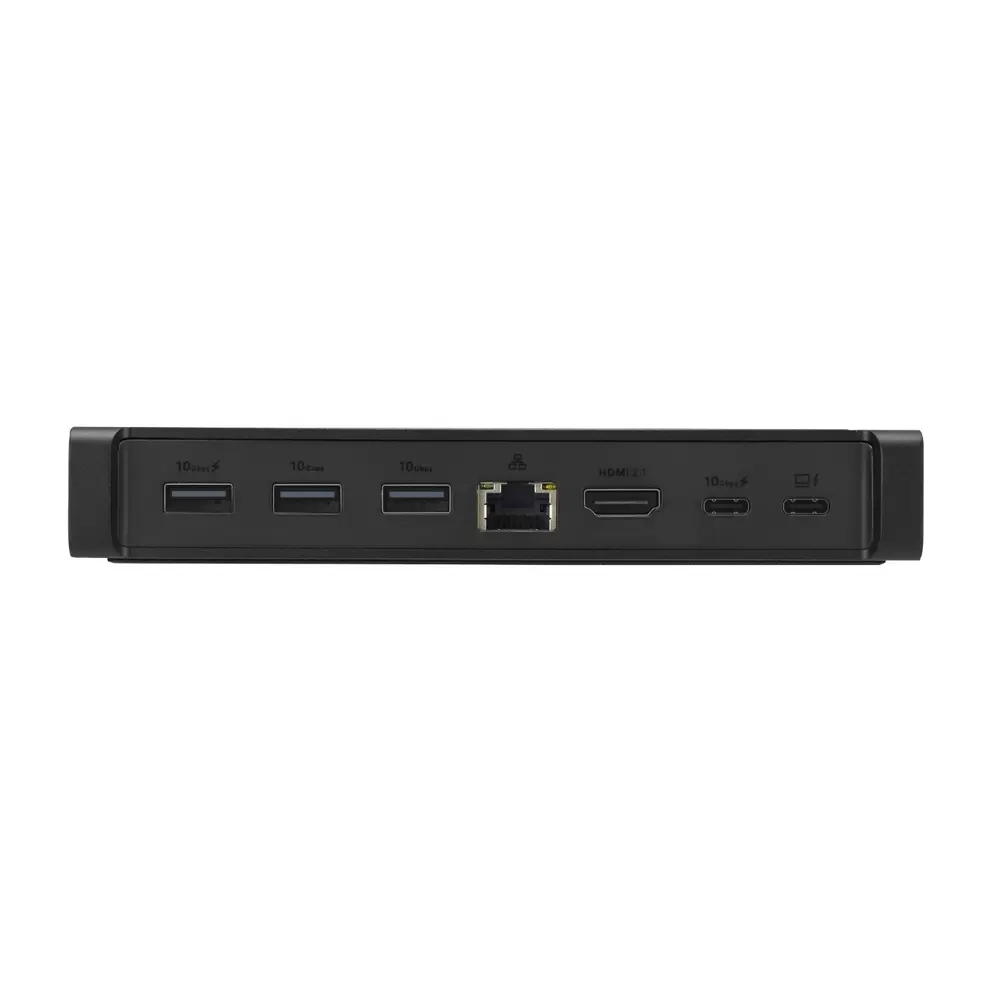
  • Connect all your peripherals through a single hub with 3 USB 3.2 Gen 2 and 2 USB-C 3.2 Gen 2 ports, plus Gigabit Ethernet and a 3.5mm audio jack.
  • Enjoy sharp, smooth visuals on an external display with HDMI 2.1 support for up to 8K at 30Hz or 4K at 144Hz, including VRR for tear-free gaming.
  • Keep your devices powered up without interruption, with USB-C Power Delivery of up to 100W output while transferring data simultaneously.
  • Stay reliably connected online with a Gigabit Ethernet port delivering fast, stable internet for gaming and data-intensive tasks.
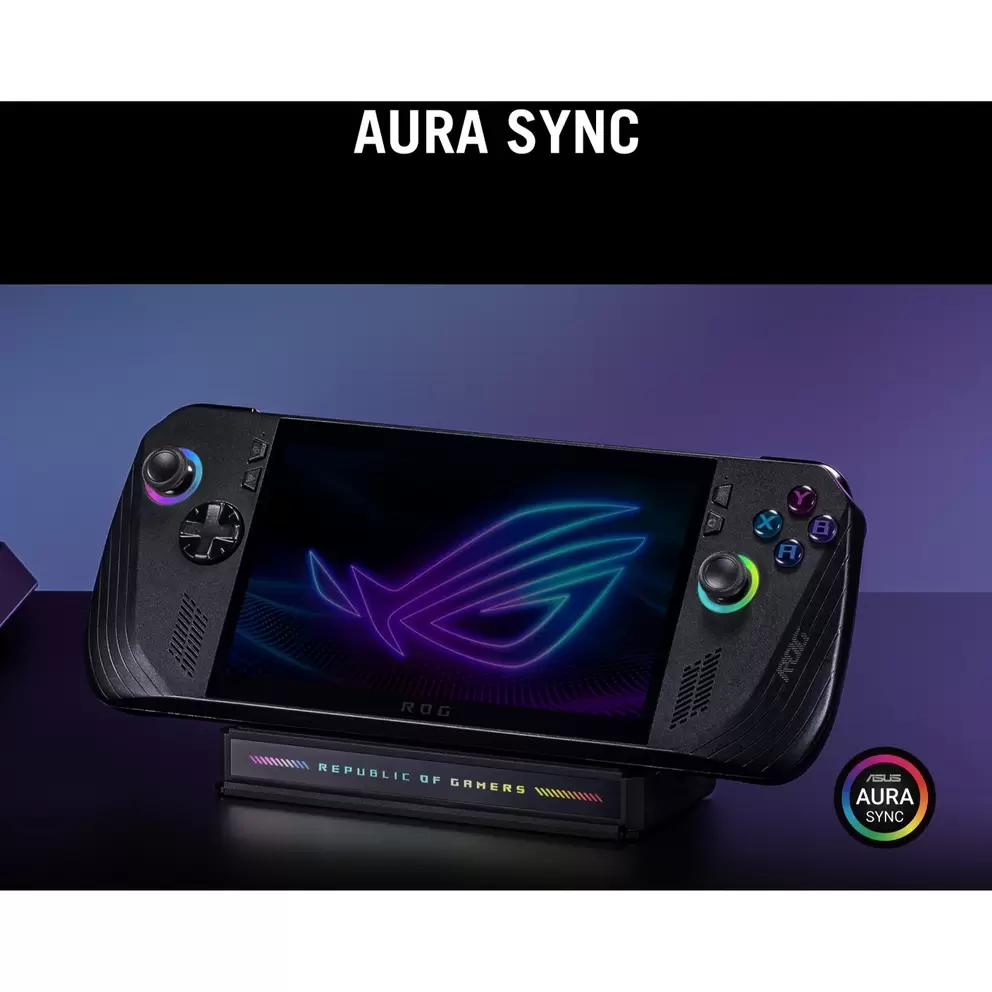
  • Make your setup uniquely yours with ASUS Aura Sync RGB lighting synchronised across compatible ASUS devices and peripherals.
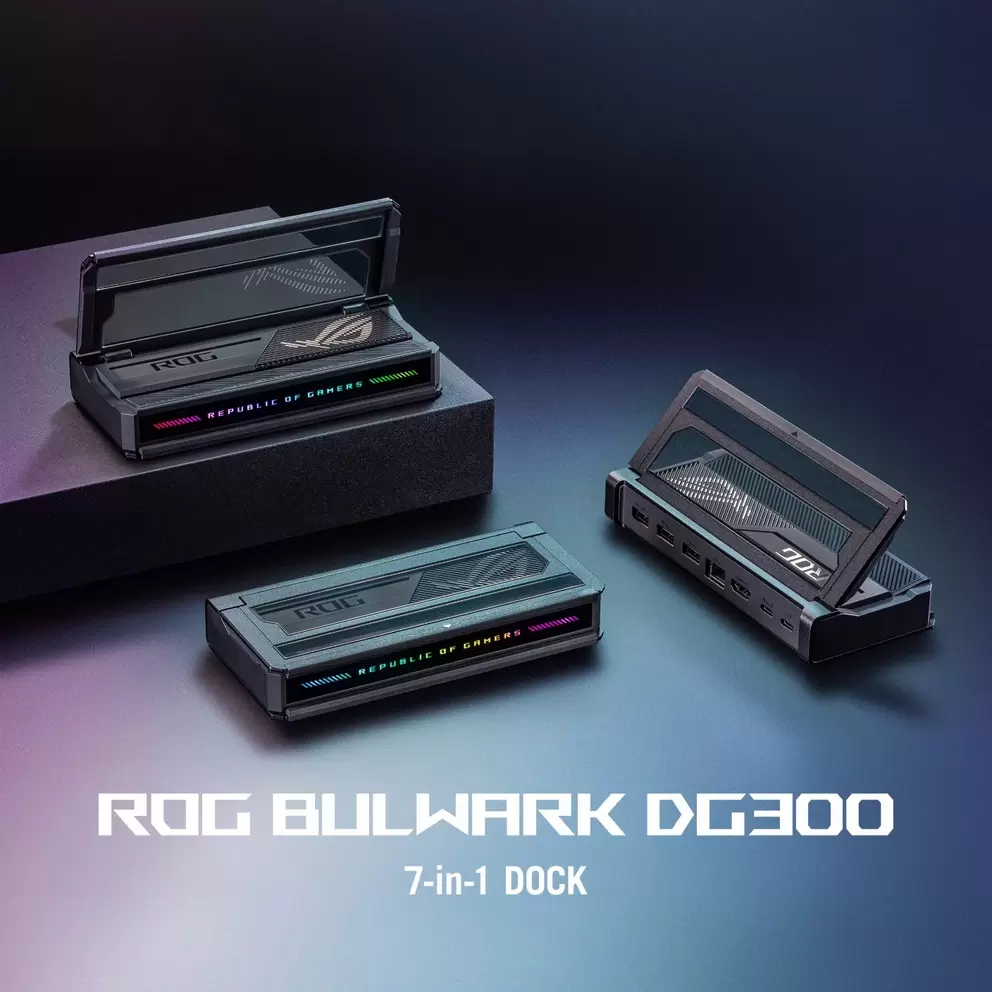
  • Fit it neatly into any desk setup with a compact 2.55 x 16 x 7.4cm design and a flip-cover that doubles as a stand for gaming handhelds.
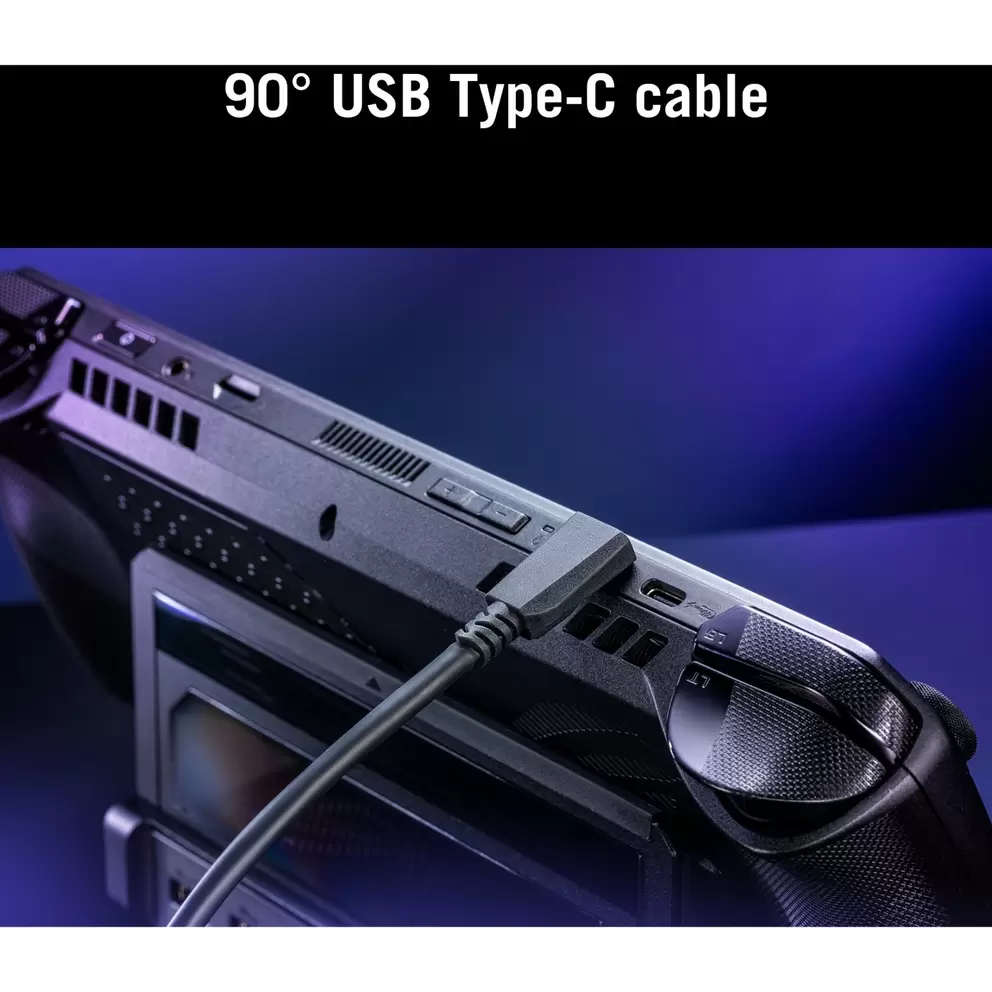
  • Get started straight away with a 25cm 90-degree USB-C cable included in the box for tidy, strain-free connections.
In more detail

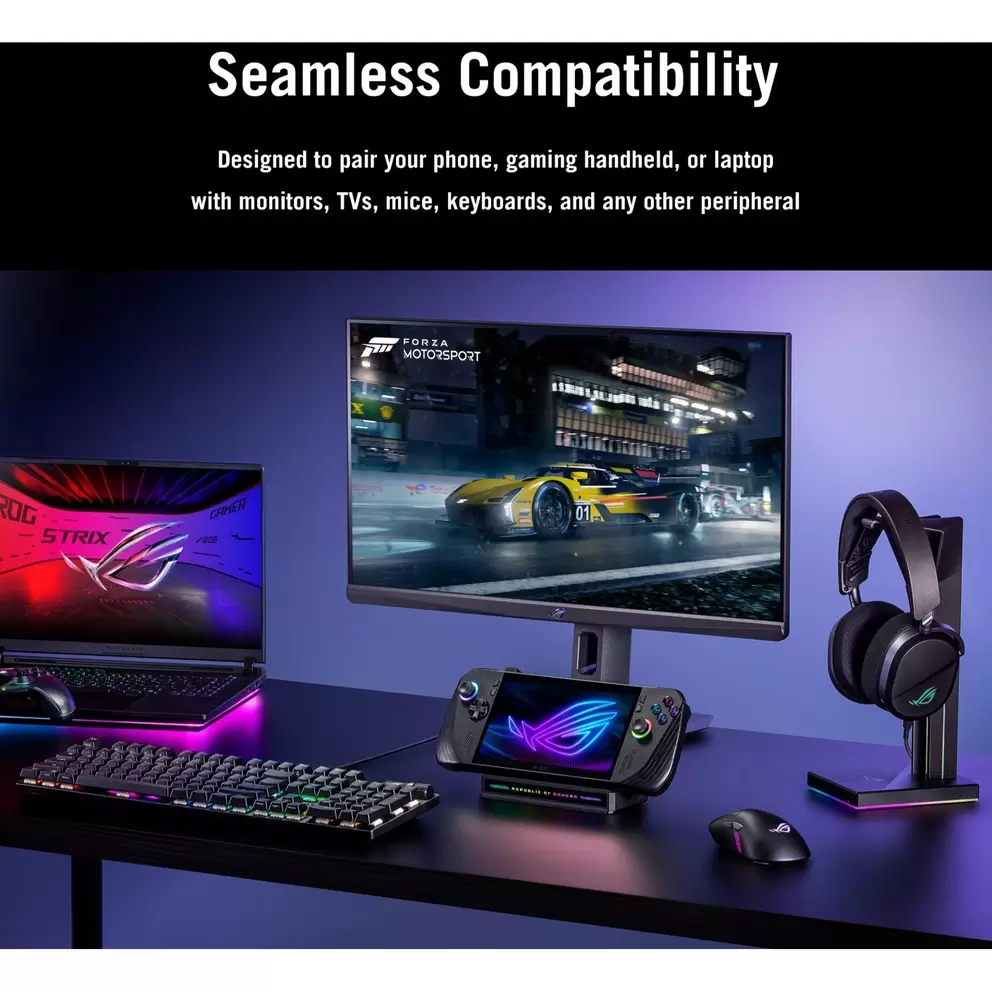
Transform your laptop, gaming handheld or smartphone into a full desktop setup with a single cable, with the ASUS ROG Bulwark DG300 Docking Station expanding your connectivity across 7 ports including HDMI 2.1, USB-A, USB-C, Gigabit Ethernet and a 3.5mm audio jack. Up to 140W Power Delivery input, 8K display support and Aura Sync RGB lighting make it the ideal hub for gamers, content creators and power users who need more from their setup.

Effortless connectivity for all your devices

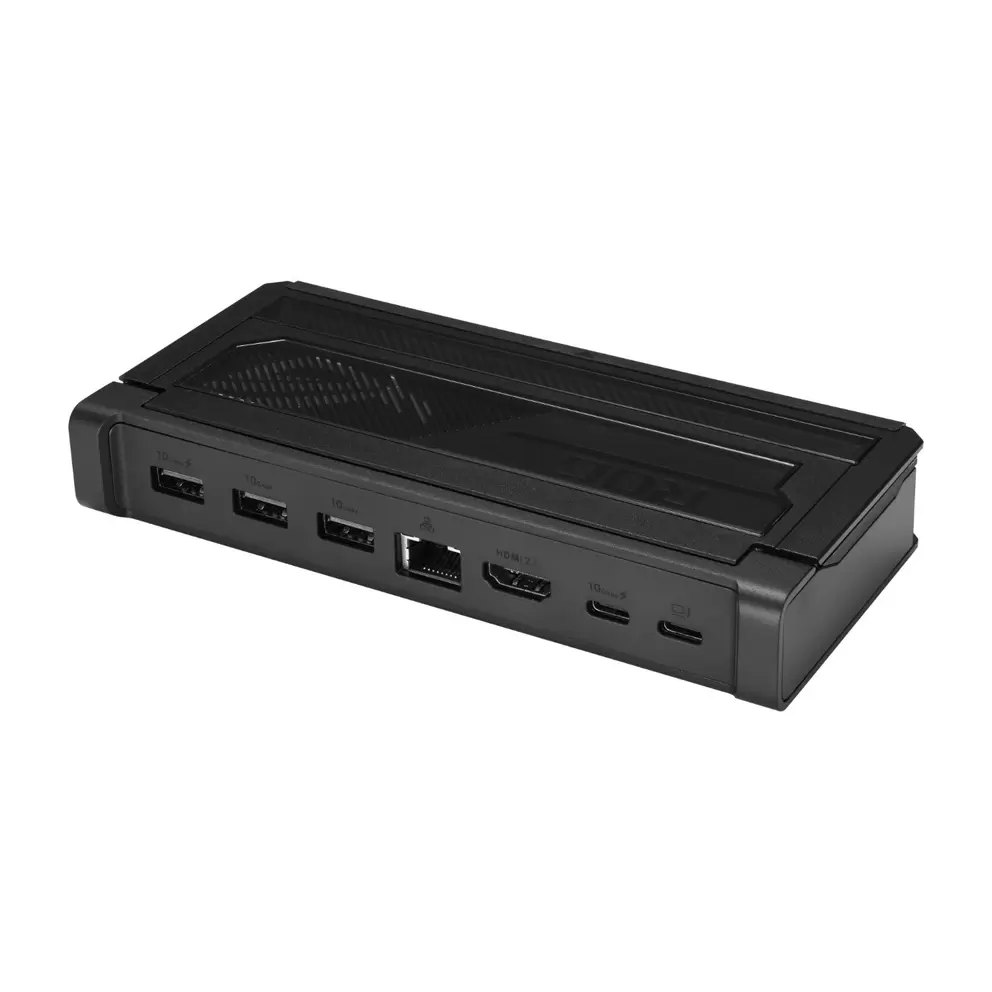
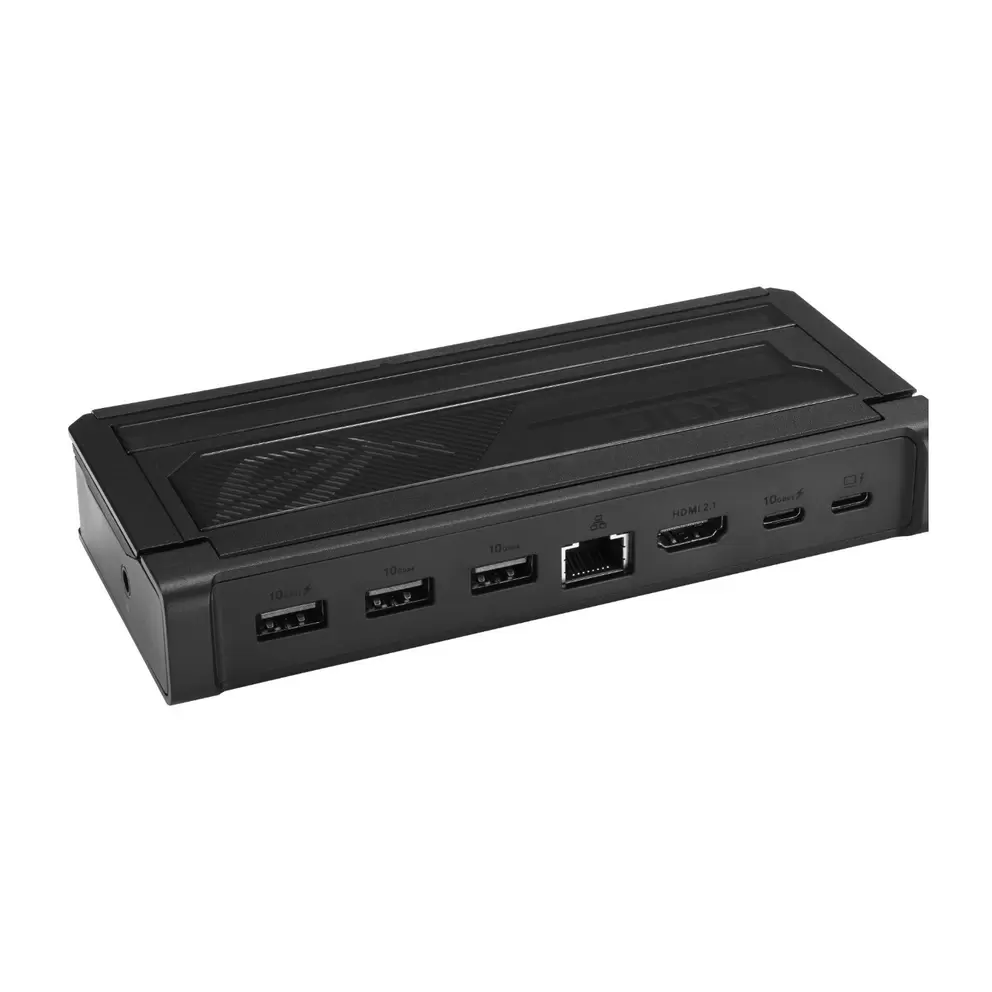
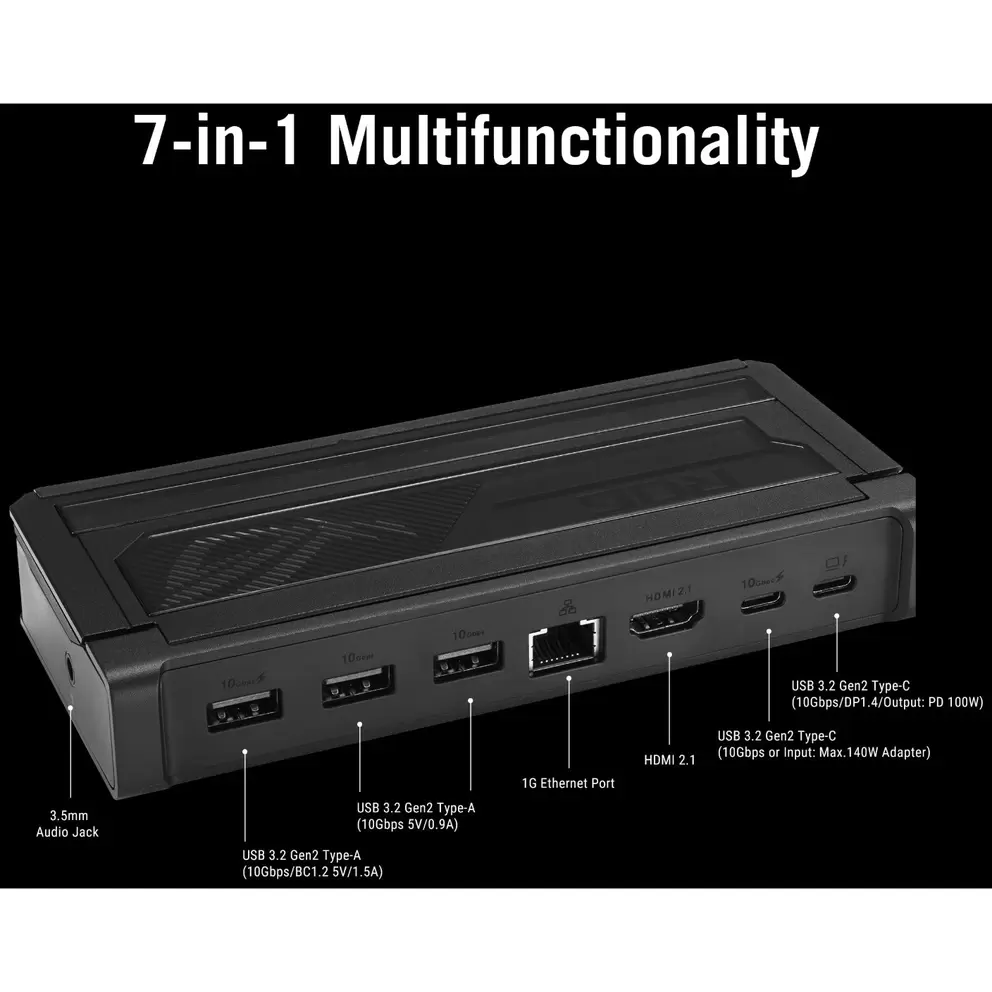
Connect everything you need through a single compact hub, with 3 USB 3.2 Gen 2 ports, 2 USB-C 3.2 Gen 2 ports, a Gigabit Ethernet port and a 3.5mm headphone and microphone combo jack all available in one tidy unit. A 25cm 90-degree USB-C cable is included in the box, keeping your cable management clean and reducing strain on your device's port.

Crystal clear visuals for immersive experiences

Enjoy stunning detail and smooth motion on your external display with HDMI 2.1 support for resolutions up to 8K at 30Hz or 4K at 144Hz, plus Variable Refresh Rate (VRR) to eliminate screen tearing during gameplay. Whether you're gaming, editing video or working across multiple applications, the visual output is sharp, fluid and genuinely impressive.

Personalise your setup with dynamic lighting

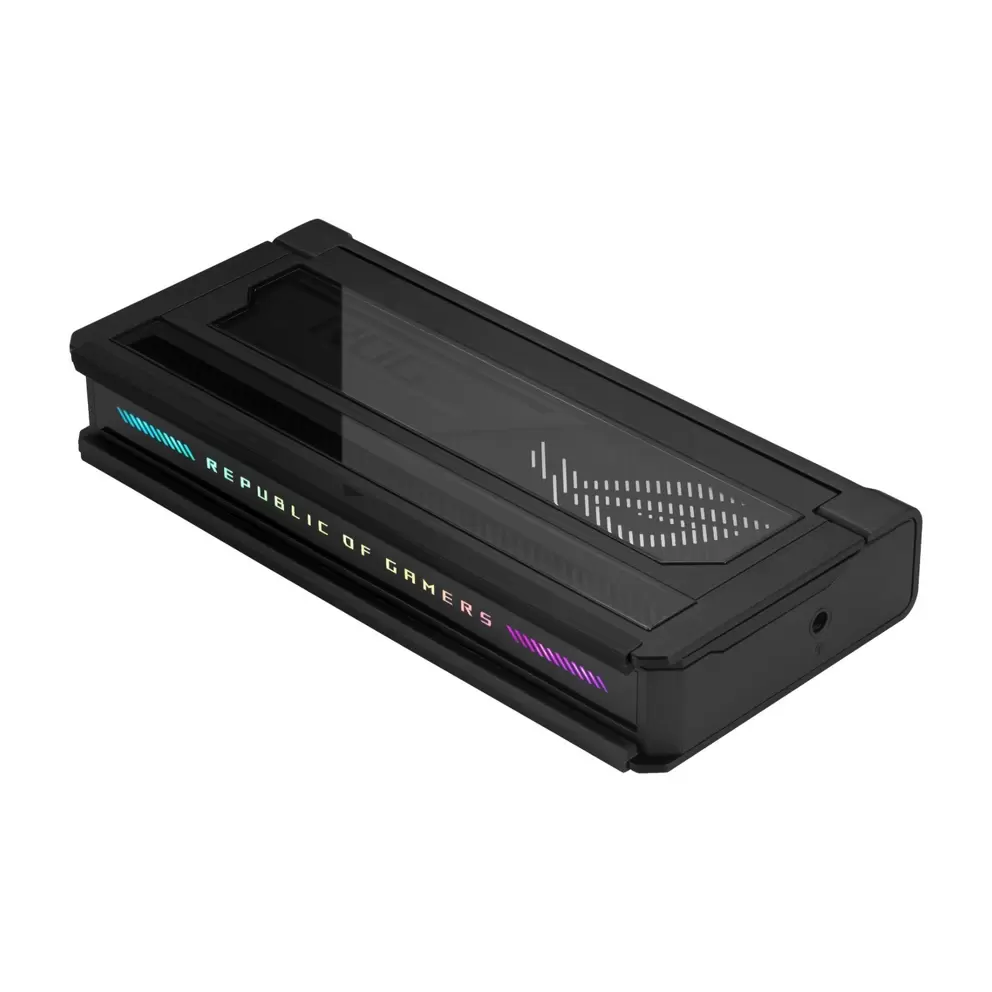
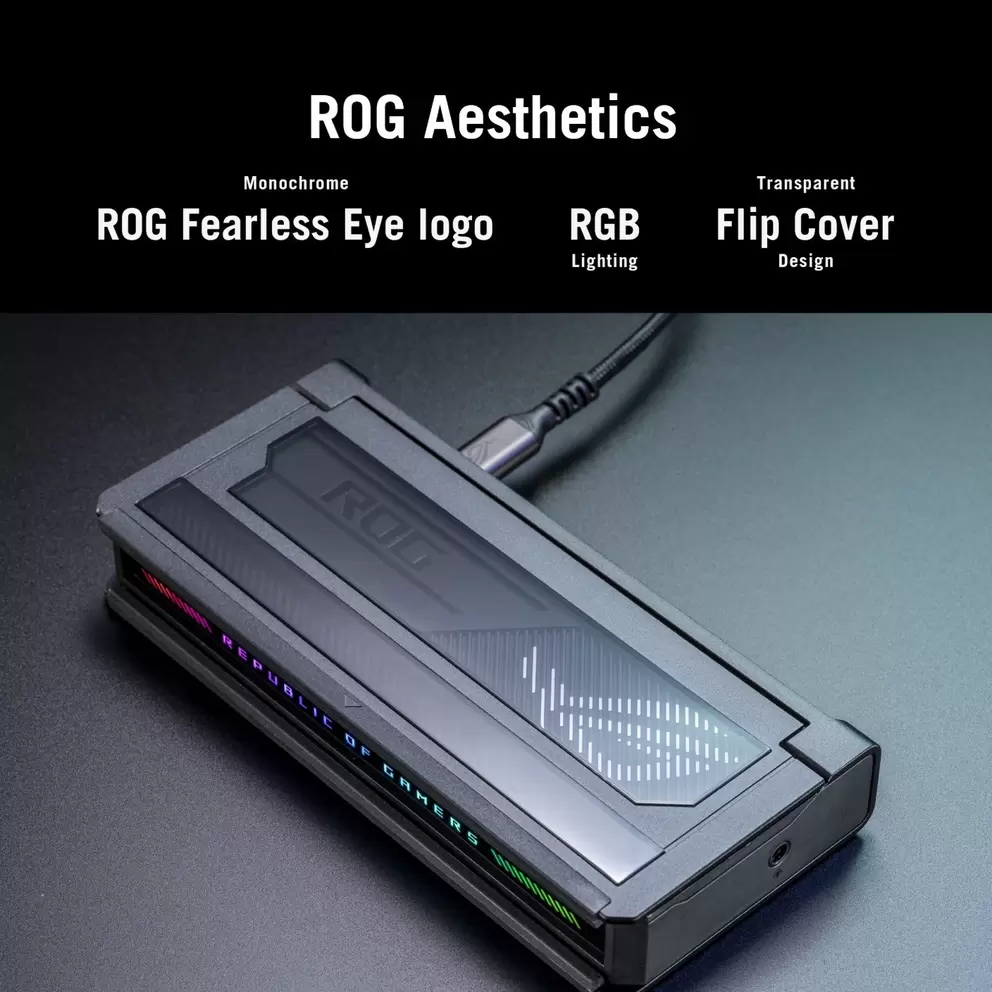
Add your own signature to your gaming environment with ASUS Aura Sync RGB lighting, which synchronises across compatible ASUS devices and peripherals for a cohesive, customised look. Choose from a wide range of colours and dynamic lighting patterns to create a setup that genuinely reflects your style.

Fast and stable internet for online gaming

Stay reliably connected during even the most demanding online sessions with a Gigabit Ethernet port delivering a faster, more stable connection than WiFi. It's particularly valuable for competitive gaming, where a consistent, low-latency connection makes a real difference.

Quickly charge and connect your devices

Keep your devices powered and ready without interrupting your workflow, with USB-C ports supporting Power Delivery of up to 140W input and 100W output for charging while simultaneously transferring data. It's fast, efficient and means one less thing to think about during long sessions.

Compact design for any setup

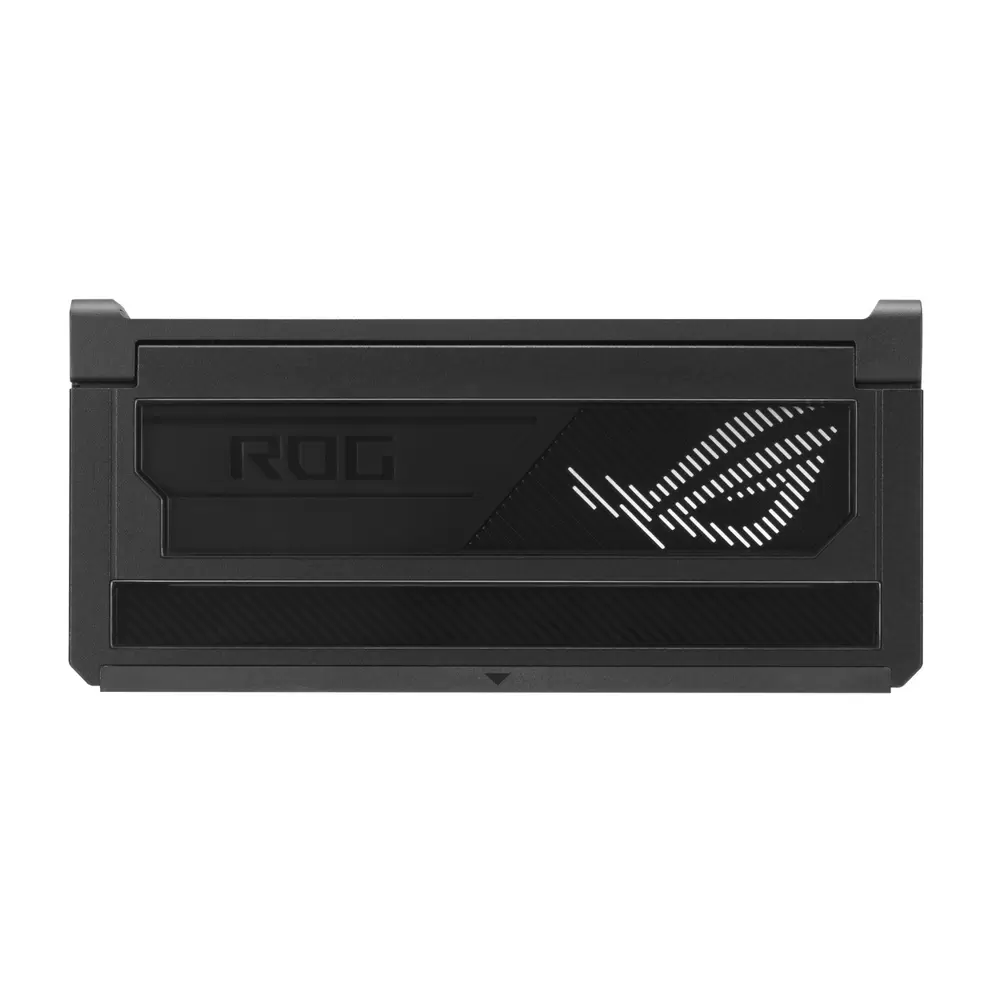
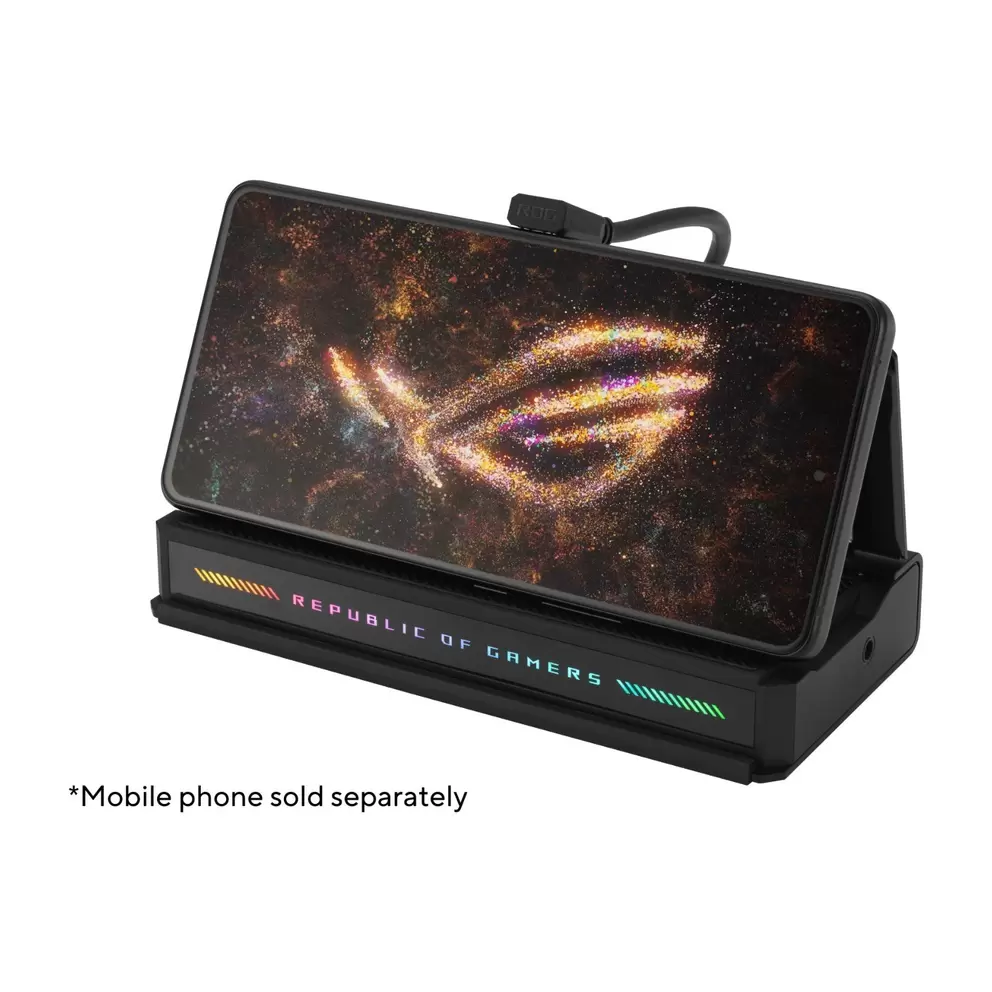
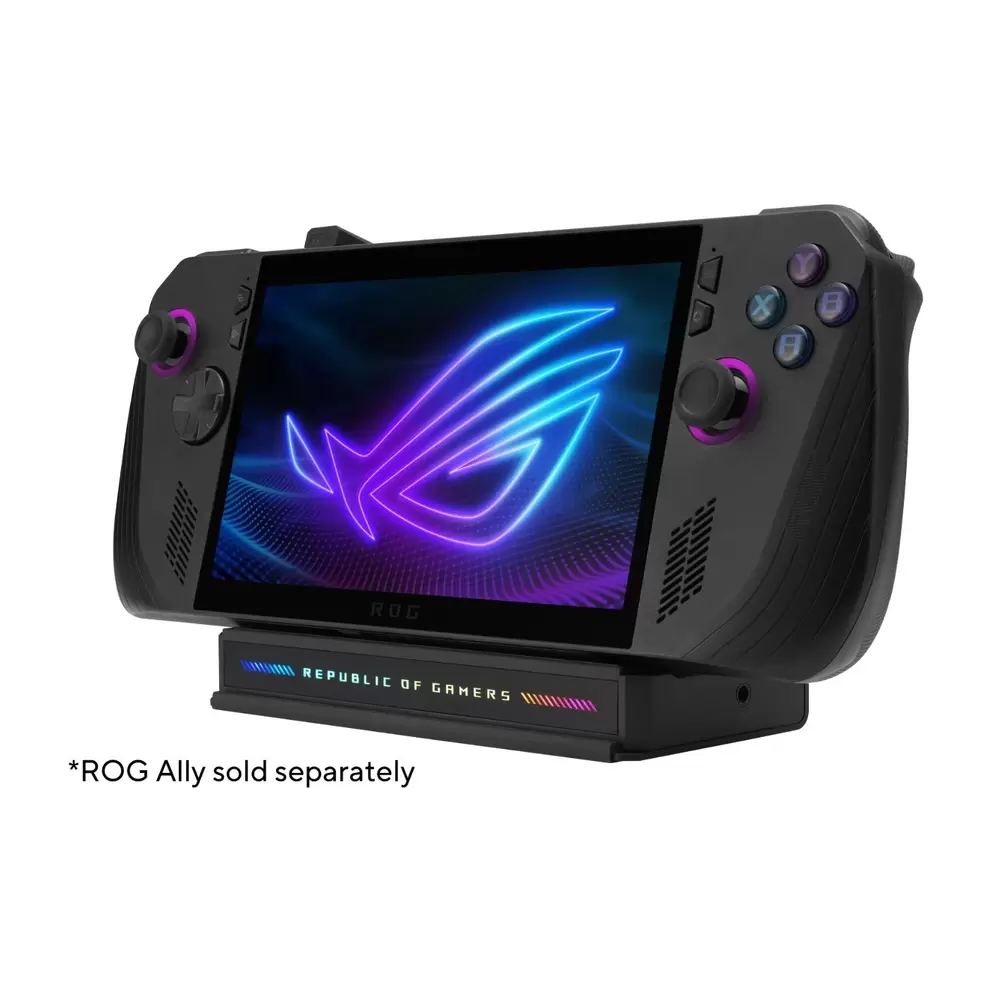
Fit the ROG Bulwark DG300 neatly into any workspace or gaming setup with its slim 2.55 x 16 x 7.4cm footprint and sleek design. A flip-cover built into the dock doubles as a stand too, allowing you to prop up a gaming handheld like the ROG Ally at a comfortable viewing angle while you game on an external display.

Specifications

BrandAsus
Product TypeDocking Station
ColourBlack
ConnectivityGigabit Ethernet
Ports3 x USB 3.2 Gen 2, 2 x USB-C 3.2 Gen 2 with Power Delivery (140W & 100W), RJ-45 Ethernet, HDMI 2.1, 3.5mm Headphone/Microphone Combo Jack
FeaturesASUS Aura Sync Technology
What's In The BoxDocking Station, USB-C Cable (25cm)
Compatible Operating SystemsWindows 11, Apple macOS 10.12.3 or later, Android 14 or later
Dimensions (H/W/D)2.55 x 16 x 7.4 cm
Weight335g
Manufacturer Part Number (MPN)90XB0A4N-BDS000
EE Article Code90XB0A4N-BDS000-000000000400022029

FAQs

The ROG Bulwark Dock is a 7-in-1 USB-C docking station designed for gamers, content creators and power users who need a single cable connection to expand their laptop, gaming handheld or smartphone into a full desktop setup. It connects via USB-C and provides access to a display output, USB ports, Ethernet and more in one compact unit.

The ROG Bulwark Dock includes 7 ports: 1 x HDMI 2.1, 1 x USB-C with up to 100W Power Delivery, 1 x USB-C input port (supporting up to 140W adapter input), 3 x USB-A 3.2 Gen 2 ports for data transfer speeds up to 10Gbps, 1 x Gigabit Ethernet (RJ-45) port and 1 x 3.5mm audio combo jack.

Via its HDMI 2.1 port, the dock supports resolutions up to 4K at 144Hz or 8K at 30Hz. It also supports Variable Refresh Rate (VRR), which reduces screen tearing and stuttering for a smoother gaming experience on compatible monitors.

The dock delivers up to 100W of USB-C Power Delivery through the upstream port. This is sufficient to charge most laptops, including the ROG Ally gaming handheld and many thin-and-light laptops at full speed while connected to a display and peripherals.

Yes. The ROG Bulwark Dock is compatible with any device that has a USB-C port supporting DisplayPort Alt Mode or USB Power Delivery. It works with Windows 11 or above, macOS 12.3 or above and Android 14 or above.

All USB-A and USB-C downstream data ports on the ROG Bulwark Dock are USB 3.2 Gen 2, offering transfer speeds of up to 10Gbps. This makes it quick and efficient for transferring large game files, video content and project files.

No. The ROG Bulwark Dock does not include a charger. ASUS recommends using a 100W or higher power adapter for the best performance. The box contains the dock unit and a ROG USB-C cable.

Aura Sync is ASUS's RGB lighting ecosystem. The ROG Bulwark Dock features RGB lighting that can be synchronised with other Aura Sync-compatible ASUS devices and peripherals, allowing you to create a matching lighting theme across your setup.

The included 90-degree USB-C to USB-C cable is 25cm long. The 90-degree angle is designed to keep cable management tidy and reduce strain on the port when placing the dock next to your device.

Yes. The dock is designed with gaming handhelds in mind. It includes a flip-cover design that doubles as a stand, letting you prop up your handheld at a comfortable viewing angle while keeping the screen visible as you connect to a monitor, keyboard, mouse and other peripherals.

Reviews

                                                                                                                                                                                                                                                                                                                                                                                                       
loading
loading

Choose colour

Make it a bundle

Get this product on its own or with extras.

loading
loading
loading
loading
Last few left
Free Standard delivery in 1-3 working days
See delivery and returns info
VisaMasterAmerican expressGoogle payPaypal
loading
loading
loading
loading
loading
loading
loading
loading
loading
loading
loading
loading
loading
loading
loading
loading
loading
loading
loading
loading
loading
loading
loading
loading
loading
loading
loading
loading
loading
loading
loading
loading
loading
loading
loading
loading