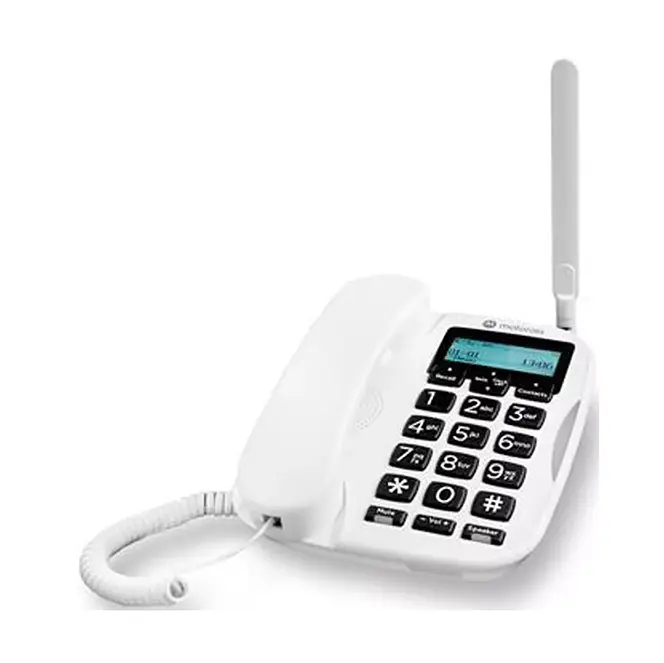
About your FW hybrid phone
How it works
Your FW500 works with your Digital Home Phone service by connecting to your Smart Hub. If there’s a power cut or broadband outage, it switches to its built-in SIM so you can make emergency calls over the EE mobile network.
Need to know
Emergency use only: The SIM comes with a limited number of minutes. Use it only when needed. You can always call 999, even if your minutes run out.
Your mobile number: Find your FW500's mobile number on the leaflet in the box. Keep it safe.
Signal strength: Check the signal indicator and keep the antenna upright.
What happens during an outage
If there's a power or broadband outage, any active calls will drop. You can then use your FW500 to make emergency calls over the mobile network. If the power comes back while you're on a call, it will continue on the mobile network. When you hang up, the phone switches back to your Digital Home Phone service.
If someone tries to call your landline number during an outage, they'll reach your voicemail or hear an engaged tone.
If your broadband isn't working
You can still make emergency calls in the same way as when there's no power. You might hear an engaged tone or a network message when you pick up the handset. This is normal, don't worry. It will stop after a short time and you will be able to make your call.
Need to know
The FW500 phone has an 8-hour battery, when it's fully charged. Please make sure you keep it plugged in to ensure it's fully charged for when you might need it.
Your phone has about a 1-hour talk time during an outage.
Product helpdesk information
By phone: 0330 123 4150
Monday to Friday, 8am to 9pm. Saturday to Sunday, 8am to 8pm
User Guides
Disposing of your old electrical and electronic equipment
To help protect the environment, the UK Government requires that electrical and electronic equipment is not disposed of with general household waste. Instead, it should be collected separately and handled in an environmentally responsible way.
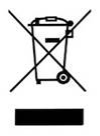 | This symbol on a product means you shouldn’t throw it in your normal rubbish at the end of its working life. |
This product may contain substances that could be harmful to people or the environment if it’s not recycled correctly. The equipment provided to you will remain the property of EE at all times (excluding outright sale equipment). You’ll need to return it back to us within 60 days of telling us you want to cancel, or we may need to charge you for it. You can do this by following the steps on this page: ee.co.uk/returns.
As the environment is important to EE, we can get rid of it in an environmentally friendly way.
If this equipment replaces something similar, then you can also dispose of your old kit by following the instructions above.
Returning and Recycling Your EE Equipment
This product may contain materials that could be harmful to people or the environment if not recycled properly. That’s why it’s important to dispose of it responsibly.
Returning Your Equipment
Unless you bought it outright, the equipment remains the property of EE. If you cancel your service, you’ll need to return the equipment within 60 days to avoid being charged.
You can return it by following the steps at: ee.co.uk/returns
Environmentally Friendly Disposal
EE is committed to protecting the environment. When you return your equipment, we’ll ensure it’s disposed of or recycled in an environmentally friendly way.