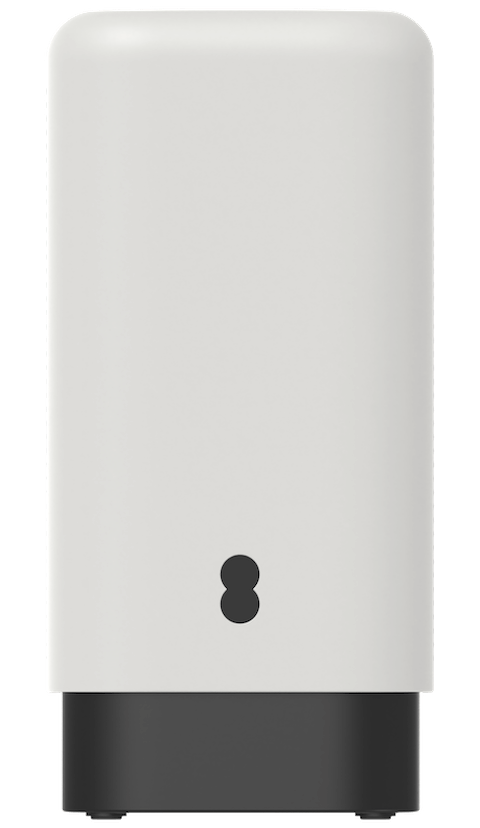
About the Smart 5G Hub 7 Pro
What's in the box
 | Your EE Smart 5G Hub 7 Pro | |
 | Power supply | |
 | Ethernet cable | |
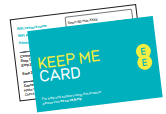 | Keep Me Card | |
 | Product safety information | |
 | User Guide |
If you're replacing your Smart 5G Hub 7 Pro, the box might not include accessories. You can reuse the ones from your old hub. If accessories are provided, please use them to replace your old ones to ensure full compatibility with your new hub.
Physical description of the Smart 5G Hub 7 Pro
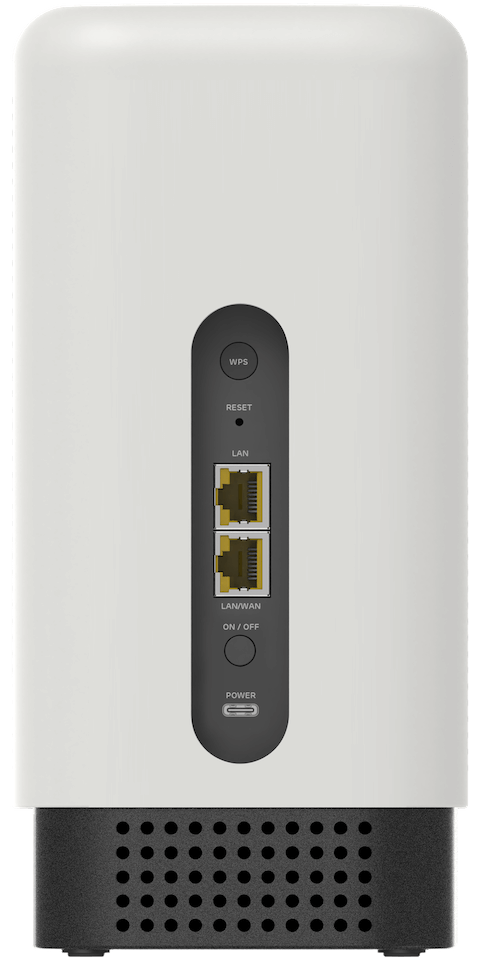
Connectors, ports and buttons on the rear of the Smart 5G Hub 7 Pro
 | WPS button – to initiate pairing with Hub |
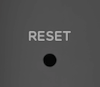 | Reset button - to reset to factory default settings |
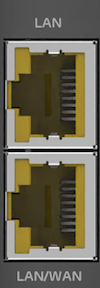 | Ethernet WAN/LAN – to connect to your devices |
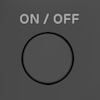 | Power button – to turn on/off |
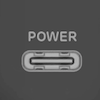 | USB Power Connector - the power supply cable plugs into it |
Setup instructions
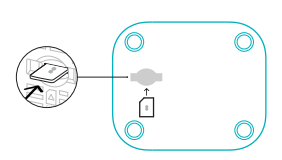
Insert the SIM
Lift the SIM slot cover and insert the Nano SIM into the SIM slot in the correct orientation until it clicks into place. For more help setting up, visit ee.co.uk/simstart
Insert the SIM card smoothly into the slot with your finger. Do not use any tools, as this may damage the SIM.
Powering up the Smart 5G Hub 7 Pro
To power up your Smart 5G Hub 7 Pro, connect it to your power adaptor and plug it into a power outlet. Press the On/Off button to power on.
When the light on the front of the Smart 5G Hub 7 Pro is solid aqua, the Internet connection is available.
To ensure your Smart 5G Hub 7 Pro works and performs as intended, it is recommended that you use the power adaptor provided with your Smart 5G Hub 7 Pro.
Getting Online
For Ethernet access, connect the supplied Ethernet cable between one of the LAN ports on the Smart 5G Hub 7 Pro and the Ethernet port on your computer.
To connect your devices to the Internet using WiFi, search for the Smart 5G Hub 7 Pro WiFi network name (SSID) and use the WiFi password printed on the bottom of the hub or Keep Me Card.
Alternatively, if your device has a camera, scan the QR code on the Keep Me Card to quickly connect.
If your device supports WPS, press the WPS button on the back of the hub for 1 second and follow your device's instructions to connect.
Forgotten your password?
If you cannot remember your password, you can reset it to factory default by gently pressing the Reset button with a paperclip for more than 5 seconds. The hub light will flash green and restart. Follow the instructions to set it up again.
WiFi Compatibility Mode
Your Smart 5G Hub 7 Pro WiFi is secured using the latest technology (WPA2/WPA3 Transition mode). However, some older devices may have issues connecting to a WiFi network configured with this security type.
If you have problems connecting, you can enable the WiFi compatibility mode on your hub by following the instructions below:
- Press and hold the WPS button on the back of the hub for 5 seconds until the hub light flashes blue 4 times.
- Search for the Smart 5G Hub 7 Pro WiFi network name (SSID) that ends with "-Comp" (for example "Smart-5G-Hub-7-Pro-XXXX-Comp") and use the WiFi password printed on the bottom of the hub or Keep Me Card.
If you have changed the WiFi password on your main WiFi network, it will match your new password.
It is recommended that new devices should continue to be connected to the main WiFi network name if you have enabled WiFi compatibility mode.
What the lights on the Smart 5G Hub 7 Pro mean
Error states are displayed through the light on the front of the Hub.
| Colour on the front of the hub | What it means |
| Aqua | Your Extender is connected, with a good signal over WiFi or Ethernet. |
| Blue | Your Extender has successfully connected to your Hub. When this light changes to aqua, you’re ready to go . |
| Flashing Blue | You’ve activated WPS to connect to your Hub, a wireless device or to another Extender. Connect within 120 seconds. |
| Orange | Your Extender is connected, but the signal is poor. Try moving it closer to your Hub or another Extender. |
| Flashing Green | Your Extender is starting up. Wait at least 3 minutes for it to turn aqua. |
| Flashing Red | Your Extender is not connected to your Hub. Follow the instructions to set up your Extender. You can also reset it by using the end of a paper clip to press the reset button for five seconds. |
| Red | There’s a problem. Turn your Extender off and on again. If the light still doesn’t turn aqua, use the end of a paper clip to press the Extender reset button for five seconds. |
Forgotten your password?
If you cannot remember your password, you can reset it to factory default by gently pressing the Reset button with a paperclip for more than 5 seconds. The hub light will flash green and restart. Follow the instructions to set it up again.
Disposing of your old electrical and electronic equipment
To help protect the environment, the UK Government requires that electrical and electronic equipment is not disposed of with general household waste. Instead, it should be collected separately and handled in an environmentally responsible way.
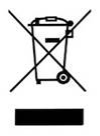 | This symbol on a product means you shouldn’t throw it in your normal rubbish at the end of its working life. |
This product may contain substances that could be harmful to people or the environment if it’s not recycled correctly. The equipment provided to you will remain the property of EE at all times (excluding outright sale equipment). You’ll need to return it back to us within 60 days of telling us you want to cancel, or we may need to charge you for it. You can do this by following the steps on this page ee.co.uk/returns
As the environment is important to EE, we can get rid of it in an environmentally friendly way.
If this equipment replaces something similar, then you can also dispose of your old kit by following the instructions above.
Returning and Recycling Your EE Equipment
This product may contain materials that could be harmful to people or the environment if not recycled properly. That’s why it’s important to dispose of it responsibly.
Returning Your Equipment
Unless you bought it outright, the equipment remains the property of EE. If you cancel your service, you’ll need to return the equipment within 60 days to avoid being charged.
You can return it by following the steps at: ee.co.uk/returns
Environmentally Friendly Disposal
EE is committed to protecting the environment. When you return your equipment, we’ll ensure it’s disposed of or recycled in an environmentally friendly way.
Safety notice and care instructions
Important safety and care instructions
Your HH70C from EE is manufactured to comply with European safety standards. Please read the following instructions carefully before installing and using it.
Installation and location
- do not use the HH70C outdoors. Protect HH70C and accessories against rain and or damp to avoid ¬re or electric shock risks
- position all parts, including power adapters away from heat and sun (eg away from radiator, window still or other electrical equipment which can get hot)
- keep device and cables out of young children’s reach
- only use power adapters provided by EE for this device; contact our helpdesk if you need a replacement
- electronic devices hate liquids; don’t place devices and power adapters in damp area or near sources of water or splashed
- this device uses wireless technology; check before using or installing where restrictions may apply such as in hospitals
- product may causes scratches or marks if placed on fragile surfaces (eg veneered wood or delicate fabrics); place on a mat if needed
- do not use when you are near gas or flammable liquids, strictly obey all signs and instructions posted in any explosive atmosphere
- use the HH70C at an ambient temperature of 0°C to 45°C. An extremely high or low ambient temperature may cause device faults
Care and maintenance
- treat all parts with care; no shock or vibration, and don’t pull or twist any cables
- dust with a soft dry cloth; don’t use water or solvent
- regularly check that objects don’t cover any parts or any vents that could cause overheating
- when not in use, store in a dry place and away from extreme heat or cold
Warnings
- if any parts of your product, power adapters or any cables appeared damaged, discontinue use immediately. Switch your electrical socket if it is safe to do so and contact our helpdesk. See terms in the Guarantee section of the user guide
- don’t try to open your device or power adapter. There are no serviceable parts and you risk an electrical shock
- this device has been evaluated for and shown compliance with European Guidelines when installed and operated with a minimum distance of 20cm between the unit and your body
- if you’ve got a pacemaker please check with your doctor before installation
Compliance information
Radio Equipment Directive Declaration of Conformity
EU
Hereby, EE declares that the radio equipment type HH70C is in compliance with Directive 2014/53/EU. The full text of the EU declaration of conformity is available at: ee.co.uk/declaration-of-conformity
UK
Hereby, EE declares that the radio equipment type HH70C is in compliance with Radio Equipment Regulations 2017 and The Product Security and Telecommunications Infrastructure (Security Requirements for Relevant Connected products) Regulations 2023.
The full text of the EU declaration of conformity is available at: ee.co.uk/declaration-of-conformity.
Restrictions
Operations in the 5.15-5.35GHz and 5.925 ~ 6.425GHz bands are restricted to indoor usage only.
To find the support period for your device go to: ee.co.uk/help/termsandconditions/general
Information on how to report security issues of the device can be found at ee.co.uk/help/terms-and-conditions/general/reporting-security-issues
Restrictions
This radio equipment is subject to certain restrictions when it is placed on the market in Belgium (BE), Bulgaria (BG), Czech Republic (CZ), Denmark (DK), Germany (DE), Estonia (EE), Ireland (IE), Greece (EL), Spain (ES), France (FR), Croatia (HR), Italy (IT), Cyprus (CY), Latvia (LV), Lithuania (LT), Luxembourg (LU), Hungary (HU), Malta (MT), Netherlands (NL), Austria (AT), Poland (PL), Portugal (PT), Romania (RO), Slovenia (SI), Slovakia (SK), Finland (FI), Sweden (SE), Northern Ireland (UK(NI)), Norway (NO), Switzerland (CH), Iceland (IS), Turkey (TR), Lichtenstein (LI). Wi-Fi 5 GHz: The frequency band 5150-5350 MHz is limited to indoor use.
This radio equipment is also subject to certain restrictions when it is placed on the market in United Kingdom (UK).
In accordance with the relevant statutory requirements in the UK, the 5150 to 5350 MHz frequency range is restricted to indoor use in the United Kingdom.
WiFi radio transmission information
| Frequency range (GHz) | Max power in the range (dBm) |
| 2.4 ~ 2.4835 | 20 dBm |
| 5.15 ~ 5.25 | 23 dBm |
| 5.25 ~ 5.35 | 23 dBm |
| 5.47 ~ 5.725 | 30 dBm |
| 5.725 ~ 5.835 | 14 dBm |
| 5.925 ~ 6.425 | 23 dBm |
WiFi radio transmission information
| Band | Max power in the range (dBM) | Power class |
| LTE B1, B3, B7, B20, B38 | 23 | PC3 |
| 5G NR N1, N3, N7, N28 | 23 | PC3 |
| 5G NR N77, N78 | 26 | PC2 (HPUE) |
Power Information
| Model Number | NPD65AUK AH227 |
| Input Voltage (V) | 200V ac to 240V ac |
| Input AC Frequency (Hz) | 50/60Hz |
| Output Voltage (V) | 20 |
| Output Current (A) | 3.25 |
| Output Power (W) | 65 |
| Average active efficiency (%) | 88 |
| Efficiency at low load (10%) | 72.58% |
| No-load Power Consumption (W) | 0.21 |
PSTI and software support
To find the support period for your device or to report security issues, go to: ee.co.uk/help/terms-and-conditions/general
Other support information
Technical specifications
WiFi standard
WiFi 7
Wireless capability
Tri-band 4x4x4 MLO
2.4GHz
5GHz
6GHz
Wired connections
1 x 2.5Gbps WAN/LAN
1 x 1Gbps LAN
Contactless WiFi pairing
Yes
Sustainability
Plastic-free packaging
Recycled casing
More accessibility information
EE's Here for You section has further information about Getting the most from your devices.