Before you start
Before you set up your TV Box Edge, make sure your broadband is up and running.
Watch EE TV by streaming over WiFi or connecting an ethernet cable. You’ll be able to watch High Definition (HD) channels when streaming through the internet, where available.
Watch our setup video
Need to know
TV Box Edge was previously known as TV Box Mini, so any references in the video to Mini apply to the TV box Edge.
Connect your TV Box Edge using an Ethernet cable
- Plug one end of the Ethernet cable into your hub or router (you’ll find it in the box provided).
- Plug the other end into the yellow socket of your TV Box Edge.
- Plug one end of your HDMI cable into the purple socket on your TV Box Edge (use the cable provided in the box for the best picture quality).
- Plug the other end into the back of your TV.
- Plug one end of the power cable into the back of your TV Box Edge (you’ll find the power cable in your TV Box Edge pack).
- Plug the other end into the nearest power socket on the wall.
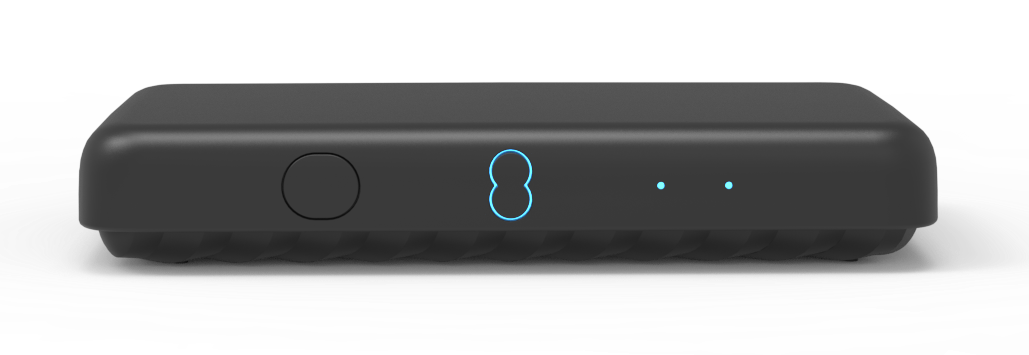
- Press the power button on the front of your TV Box Edge to turn it on.
- You’ll be guided through the set-up instructions on your TV Box Edge.
Connect your TV Box Edge using WiFi
- We recommend placing your TV Box Edge 5 metres from your Hub. If it's further away and you're experiencing issues, you may benefit from WiFi Extender or a WiFi booster.
- Plug one end of your HDMI cable into the purple socket on your TV Box Edge (use the cable provided in the box for the best picture quality).
- Plug the other end into the back of your TV.
- Plug one end of the power cable into the back of your TV Box Edge (you’ll find the power cable in your TV Box Edge pack).
- Plug the other end into the nearest power socket on the wall.
- Press the power button on the front of your TV Box Edge to turn it on.
- You’ll be guided through the set-up instructions on your TV Box Edge.
If you're having issues with your WiFi speed and connection, find out what affects your home broadband and WiFi.
Pair your remote
- Pull the plastic tab away from the batteries to activate them.
- Move the remote close to your TV Box Edge.
- Press the power button.
- Your remote will pair with your TV Box Edge automatically.
- If you have any issues pairing, try replacing the batteries in the remote.
If it's still not paired, check these steps to pair your remote with your TV.