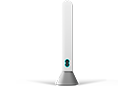
Set up your hub with the EE app
The quickest way to set up your EE Smart Hub is by following the instructions in the EE app.
- Download and open the EE app.
- Select Manage.
- Go to Manage.
- Select I need to plug in my hub.
- Follow the helpful tips to set up your hub and get connected.
Set up full fibre without using the app
Follow these steps to set up your hub.
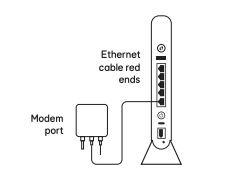
Connect your Smart Hub
- Plug the white cable with red ends into the socket marked WAN on the back of the hub.
- Plug the other end of the cable into the Openreach modem's socket labelled Port 1 or LAN1.
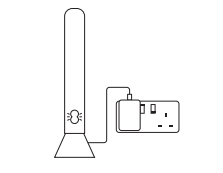
Power up
- Plug the power cable into the back of your hub.
- Connect your hub to a power socket and switch it on.
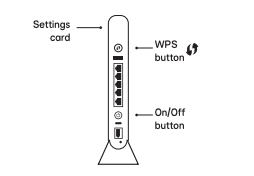
- Push the hub’s Power button.
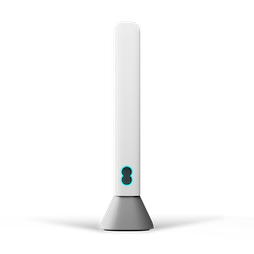
Check the hub's lights
- The light on the front will turn green to show your hub is switched on.
- Wait about 3 minutes for the light to turn solid aqua. Your hub is now ready.
Light not solid aqua? Find out what the lights on your EE Smart Hub mean.
Connect your devices
To connect your devices to the internet, for example a computer, your phone or a tablet, use your hub’s network name and password. You'll find them on the WiFi details card and on the back of your hub.
Or, if your device has a camera, scan the QR code on the back of your hub to connect.
If your device supports WPS, press the WPS button on the side of the hub and follow your device’s instructions to connect.
Setting up your other equipment
If you've got other EE equipment to set up, select the options below to take you to the instructions.